Greenbet Login
Greenbet offers four login methods. Two of them work without a password. Most login problems happen for one reason: the player picks a tab that does not match the registration method. This guide explains which method fits your account and how to restore access if something goes wrong.
Greenbet Password Login Process
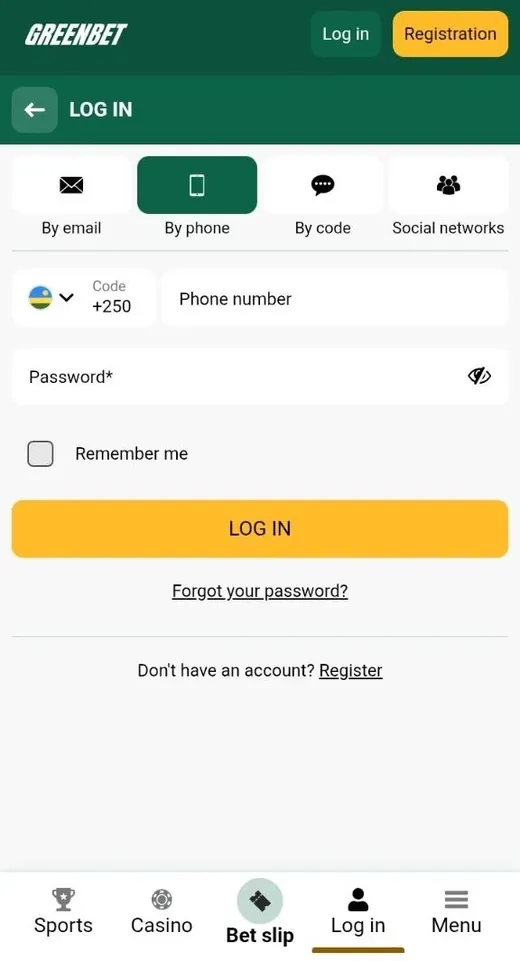
Greenbet has two password login tabs: By email and By phone. Both require a password. They differ in the identifier you enter.
To open the login form, press LOG IN in the top right corner of greenbet.gg. The form opens on the By email tab. Each tab has an icon above its label. The active tab turns dark green.
| Tab | Identifier | Suitable for |
|---|---|---|
| By email | Email or account ID | Email and one-click accounts |
| By phone | Phone number with country code | Phone accounts |
Login with Email or Account ID and Password
The By email tab accepts two kinds of identifier. You can enter your email address or your account ID in the same field.
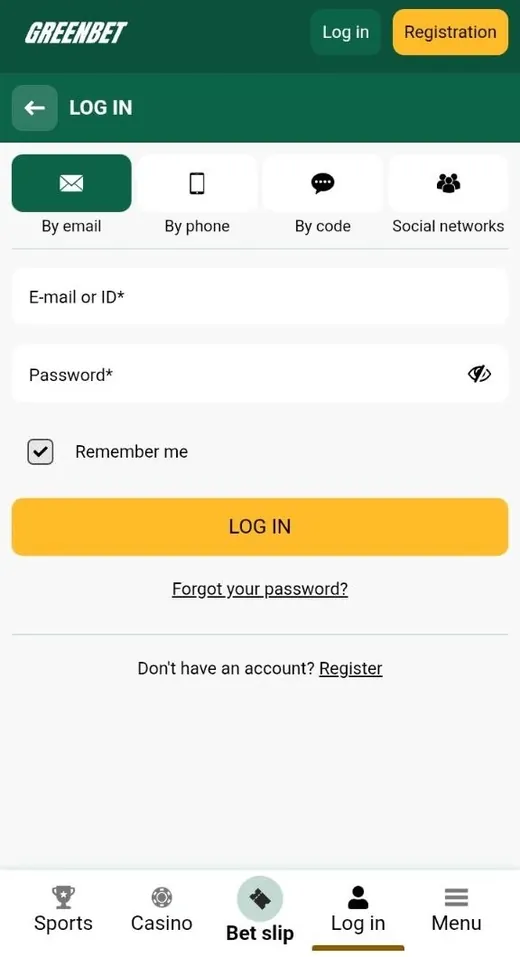
- Press LOG IN.
- Stay on the By email tab.
- Enter your email or account ID in the "E-mail or ID" field.
- Enter your password.
- Press the yellow LOG IN button.
Players who registered with the One-click method do not have an email login. They use the account ID in this field.
The password field has an eye icon on the right side. A click on the icon shows the password in plain text. Use it to check for typing errors before you press LOG IN.
The By phone tab works the same way. You enter a phone number instead of an email. The country code field has a flag and a drop-down arrow. Check the code before you enter the number.
Remember Me Option
"Remember me" keeps you logged in on the current device. The checkbox is ticked by default on both password tabs.
| Device | Recommended setting |
|---|---|
| Your own phone or computer | Keep "Remember me" ticked |
| Shared or public computer | Untick "Remember me" |
| Borrowed phone | Untick "Remember me" and log out after use |
There is one more reason to avoid shared devices. Greenbet allows one bonus account per shared computer and IP address. Two accounts on one device can cause problems with bonuses.
Greenbet Passwordless Login Process
Greenbet offers two passwordless login methods: By code and Social networks. You do not need a Greenbet password for either of them.
| Tab | What you need | Condition |
|---|---|---|
| By code | Phone number and SMS code | Number verified by SMS |
| Social networks | Telegram, Google or X account | Account created through the same network |
One-Time SMS Code Login to a Verified Number
Code login sends a one-time code to your phone. The code works only for a verified number. Greenbet states this rule directly in the form.
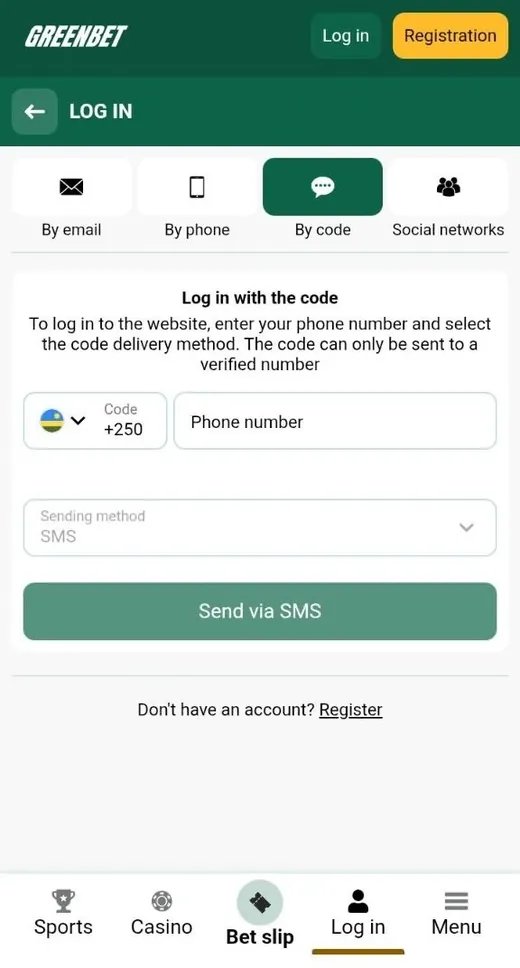
A verified number is a phone number that you confirmed with an SMS code. Players who registered with the By phone method complete this step during signup. Other players confirm the number in the Personal profile section.
- Open the By code tab.
- Check the country code and enter your phone number.
- Keep SMS in the "Sending method" field.
- Press "Send via SMS".
- Enter the code from the message.
This tab has no password field and no "Forgot your password?" link. It is the quickest way to log in if you forgot your password.
Login Through Telegram, Google and X Accounts
Social login uses your Telegram, Google or X account. You confirm access in the window of the selected service.
- Open the Social networks tab.
- Select Telegram, Google or X.
- Confirm access in the pop-up window.
This method works for accounts created through the same network. If you registered by email or phone, use the matching password tab. Keep access to the social network account. Without it, you lose the easiest way to log in.
Greenbet Access Recovery Process
Greenbet offers three ways to restore access: the password reset link, SMS code login and contact with support. The right option depends on your situation.
| Situation | Solution |
|---|---|
| You forgot your password | "Forgot your password?" link |
| Your phone number is verified | SMS code login |
| You registered through a social network | Log in with the same network |
| Your account is blocked | Write to [email protected] |
| You lost access to email and phone | Write to [email protected] |
Forgot Your Password Link
To reset a password, click "Forgot your password?" under the LOG IN button. The link appears on the By email and By phone tabs.
- Open the login form.
- Select By email or By phone.
- Click "Forgot your password?".
- Follow the instructions on the screen.
- Set a new password and log in.
If your number is verified, you can skip the reset. Log in by SMS code and change the password in the Security section of the account menu.
Incorrect Password and Missing SMS Code
Most login errors have a simple cause. The table lists the typical cases.
| Problem | Cause | Solution |
|---|---|---|
| Incorrect password | Typing error or wrong keyboard layout | Use the eye icon to check the password |
| Account not found | Data entered on the wrong tab | Switch to the matching tab |
| ID not accepted | ID entered on the phone tab | Use the By email tab |
| SMS code not received | Number not verified | Log in with a password and verify the number |
| SMS code not received | Wrong country code | Check the flag and the code |
Do not try many passwords in a row. Use the reset link instead.
Blocked Account Support
Blocked accounts are handled at [email protected]. Include your account ID or email and a short description of the problem.
The Greenbet terms list several reasons for account blocking or closure:
- More than one account per person, family, address, shared computer or IP address.
- Bonus abuse according to the review of transaction records.
- Failure to provide KYC documents on request.
- Suspected fraud or money laundering.
KYC means "know your customer". It is an identity check with ID documents. Greenbet can also request a photo of you holding your ID with your face visible. Prepare these documents before you write to support.
| Issue | Contact |
|---|---|
| Blocked account | [email protected] |
| Suspicious activity | [email protected] |
| General questions | [email protected] |
Login in the Greenbet Mobile App
The Greenbet mobile app uses the same four login tabs as the website. One account works on all devices.
| Platform | App format | Source |
|---|---|---|
| Android | APK app | greenbet.gg |
| iOS | Progressive web app | Safari, Add to Home Screen |
Login on the Android APK Version
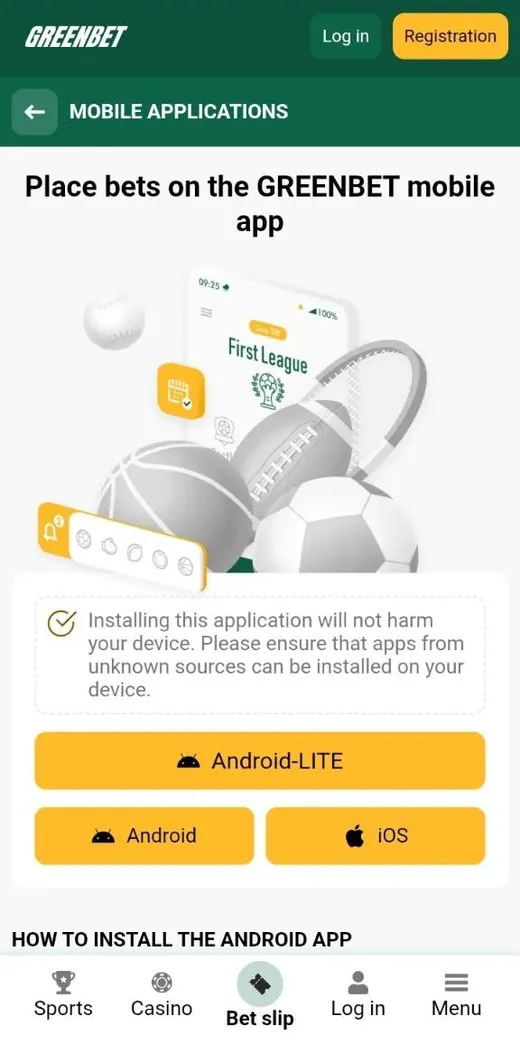
On Android, you log in through the Greenbet app installed from an APK file. An APK is the standard installation file for Android apps.
- Download the APK from greenbet.gg.
- Allow installation from unknown sources in Settings.
- Install and open the app.
- Tap LOG IN and select a tab.
- Enter your data and tap LOG IN.
On a phone, the By code tab is practical. The SMS arrives on the same device. Keep "Remember me" ticked to skip the login form on the next launch.
Login on the iOS Web App Version
On iPhone and iPad, Greenbet works as a progressive web app. A PWA is a website saved to the home screen with its own icon.
- Open greenbet.gg in Safari and wait until the page loads.
- Press Share and select "Add to Home Screen".
- Press Add.
- Open the Greenbet icon.
- Tap LOG IN and enter your data.
The web app uses the same login form as the mobile website. It updates automatically with the site.
Greenbet Login Pros and Cons
Greenbet login offers several methods and clear recovery options. Some methods depend on account settings.
Pros
- Four login methods on one form
- Passwordless login by SMS code or social network
- One field for email or account ID
- Eye icon to check the password
- Separate contact addresses for blocked accounts and security
- Same login on website, Android app and iOS web app
Cons
- Code login requires a verified number
- Social login works only for accounts created through the same network
- One-click players must save their ID manually
- "Remember me" is ticked by default on shared devices too
- No public description of two-factor authentication
- Android app requires installation from unknown sources
Frequently Asked Questions
Below are short answers to common questions about Greenbet login.
Where can I find my Greenbet account ID?
Greenbet assigns an account ID at one-click registration. Save it immediately, and contact [email protected] if you lose it.
Can I log in to Greenbet without a password?
Yes. You can log in by SMS code to a verified number or through Telegram, Google or X.
Why is the SMS login code not arriving on my phone?
Greenbet sends login codes only to verified numbers. Check the verification status and the country code.
Can I log in with Google if I registered by email?
Social login works for accounts created through the same network. If you registered by email, use the By email tab.
Does one Greenbet account work in the app and on the website?
Yes. One account works on the website, the Android app and the iOS web app.
What should I do if my Greenbet account is blocked?
Write to [email protected] with your account ID or email. Prepare your ID documents in case Greenbet requests them.